FREE GUIDE
How to create a website: a step-by-step guide for beginners
By the Acyera team · Updated 4 October 2026
The short answer: decide what the site is for, gather your words and photos, start from a template or an AI draft in a website builder, replace everything with your own details, check it on a phone, publish it on a free address, then share the link. With a builder you need no code and no hosting account, and a simple site takes an afternoon.
This guide is for someone who has never made a website. It uses plain words, works on a phone as well as a laptop, and shows each step with pictures of a real website builder. We use Acyera for the pictures because it is our product and we can show it honestly, but the order of the steps is the same in any builder.
What you need before you start
Five things make the rest quick:
- One sentence about what the site is for. For example: "Bring customers to my salon in Ntinda" or "Show my design work to people who might hire me."
- Your business name and a short description of what you offer, where you are, and what makes you different.
- Five to ten good photos of your work, products, shop or team, taken in daylight. Photos of real things build more trust than stock pictures.
- How people should reach you: a phone number, a WhatsApp number, an email address, your location.
- About an hour, a phone or a laptop, and an internet connection.
You do not need to buy hosting, install anything, or know any code. You also do not need a domain name on day one: you can publish on a free address and add your own domain later.
Choose how you will build it
There are four common ways to get a website. Each suits a different person.
Builders include Acyera, Wix and Squarespace. With a designer you usually go back to them for every change, and with WordPress you look after updates yourself.
If you want real numbers for your market, read How much does a website cost?. The rest of this guide uses a builder, because it is the fastest way for a beginner to get a site live and keep it up to date.
Step 1: decide what the site must do
A website for a business has one main job: to turn a visitor into a customer. Write down the single action you most want a visitor to take. It is usually one of these: send a WhatsApp message, call, book, visit the shop, or place an order.
That action decides your page. Every section should help the visitor take it, and the button for it should appear near the top and again at the bottom.
Step 2: write your words first
Most people start by dragging things around and end up with a page that looks finished but says nothing. Write the words first, in a notes app if you like. A one-page site for a small business usually needs these sections:
- A headline that says what you do and for whom, in a few words. "Fresh bread and cakes in Kisumu, baked every morning" is better than "Welcome to our website".
- What you offer: three to six services or products, each with one or two lines.
- Why choose you: experience, guarantees, what customers say.
- Photos of the real thing.
- How to reach you: phone, WhatsApp, email, address and opening hours.
Step 3: start from a draft, not a blank page
A blank page is the hardest place to start. On Acyera you have three ways in, and none of them needs an account:
- Let the AI write a first draft. Open the AI website builder, type your business name, and describe your business in at least 200 characters: what you offer, where you are, and what makes you different. In less than a minute you get a complete page with sections, words and colours. It may ask you one or two questions first so the page fits better. The photos in the draft are placeholders, so plan to swap in your own.
- Pick a template. The template gallery has a ready-made design for restaurants, shops, salons, schools, churches and more. "Use this template" opens it in the editor in your browser.
- Start blank in the editor if you already know exactly what you want.
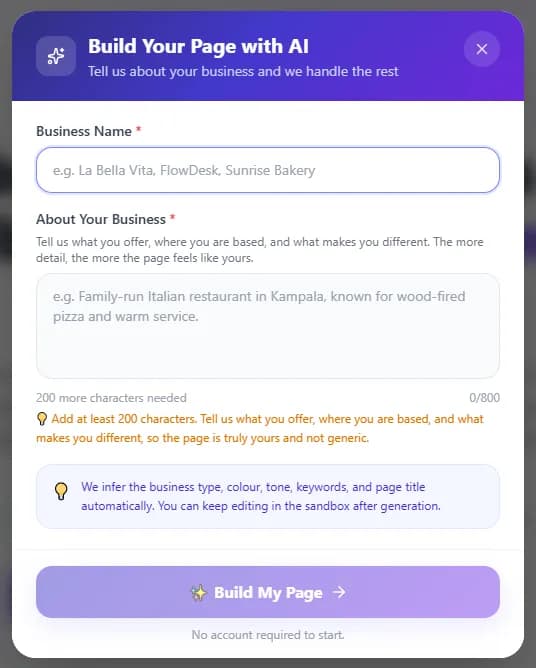
Step 4: make every section yours
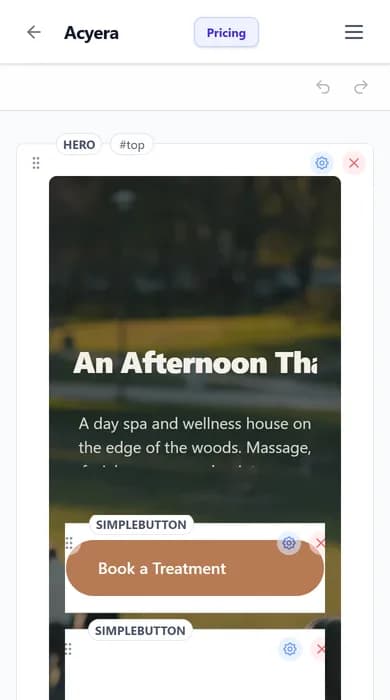
Whichever start you chose, you now have a page in the editor. The page is made of blocks: a hero (the big top section), headings, text, images, buttons, columns, a WhatsApp button and so on. Click a block to change it. Its settings open on the right on a laptop, or behind the small gear icon on a phone.
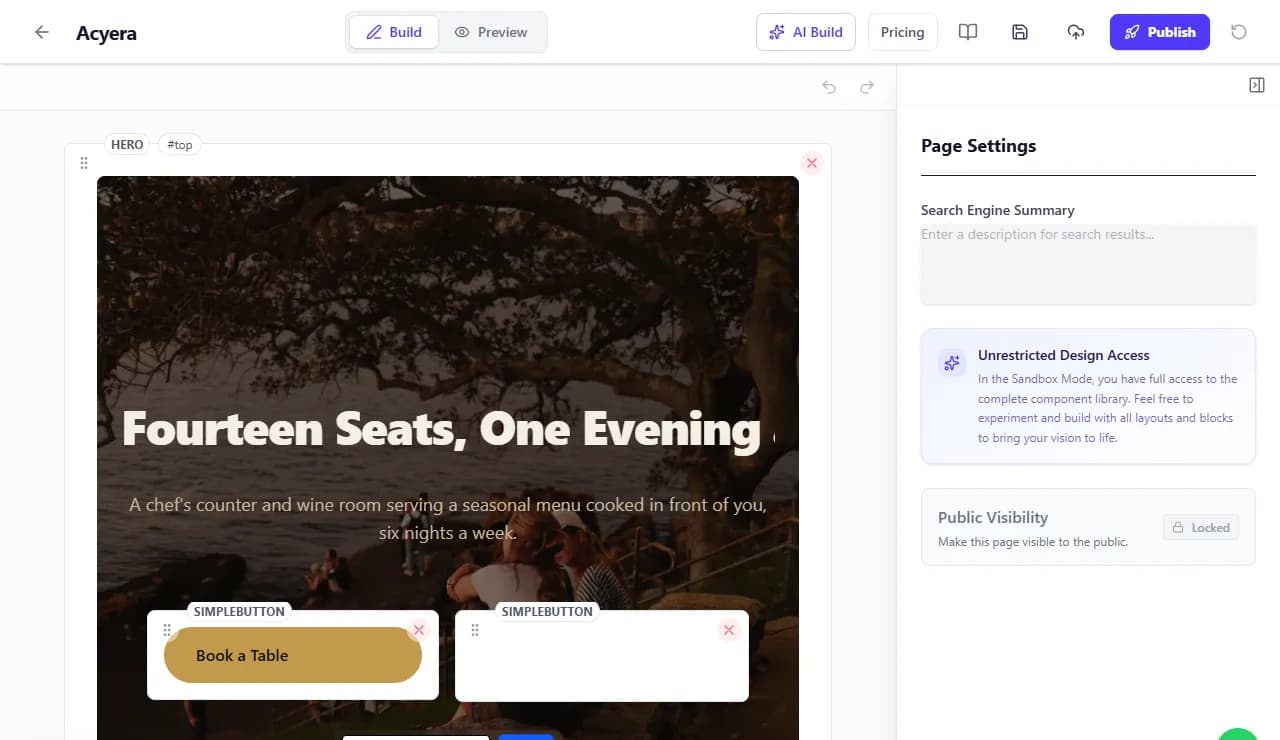
- Replace every word of the template with your own. Read each line aloud: if it would sound strange said to a customer, rewrite it.
- Swap every photo for one of yours. Use landscape photos for wide sections.
- Put your real phone number, WhatsApp number and address in. Visitors try them.
- Delete any section you have nothing true to say in. A shorter honest page beats a long padded one.
- Use the plus button between blocks to add something new, such as a map, a price list or a list of questions.
The editor works in your phone's browser too. It is the same editor, with the block settings in a panel that slides up from the bottom.
Step 5: check it like a customer would
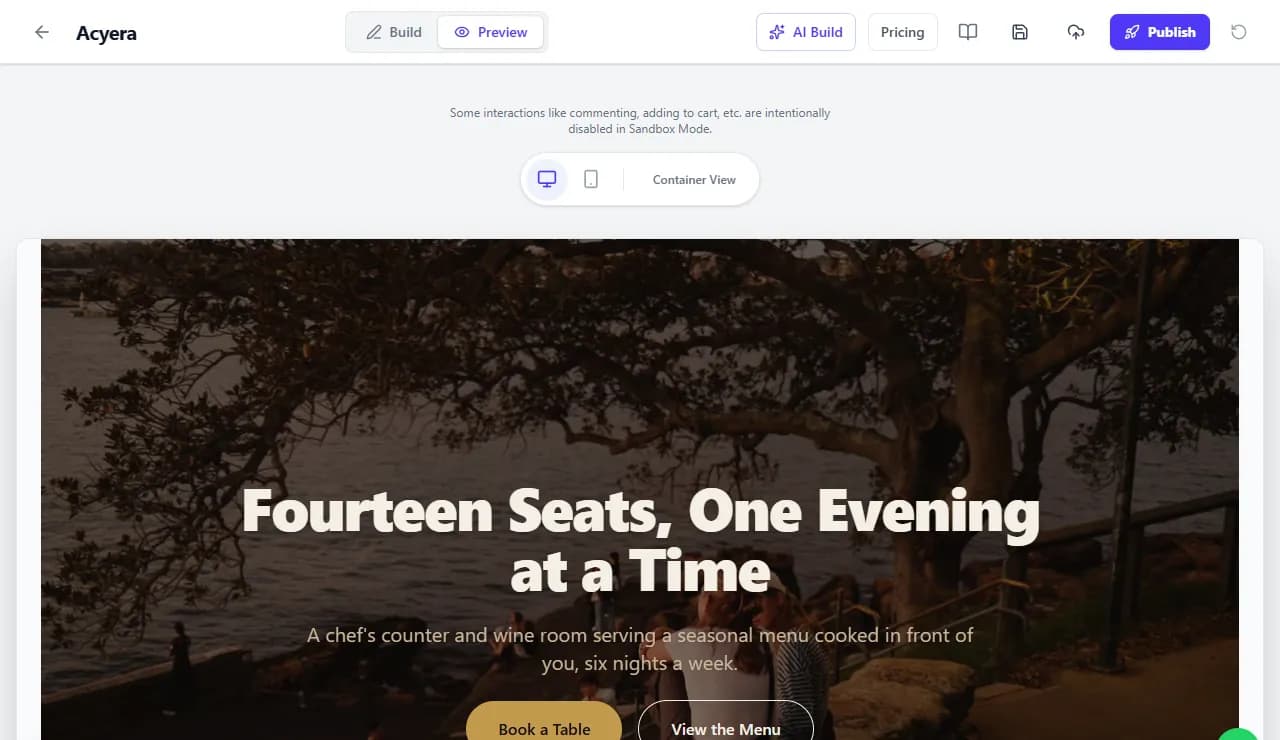
Switch to Preview at the top of the editor. Look at the desktop view, then the phone view, because most of your visitors will arrive on a phone. Check that the headline fits, the photos are not stretched, and the main button is easy to tap.
Ask one friend to open it and tell you what the business does and how to contact you. If they hesitate, fix the headline or move the contact button up.
Step 6: publish it
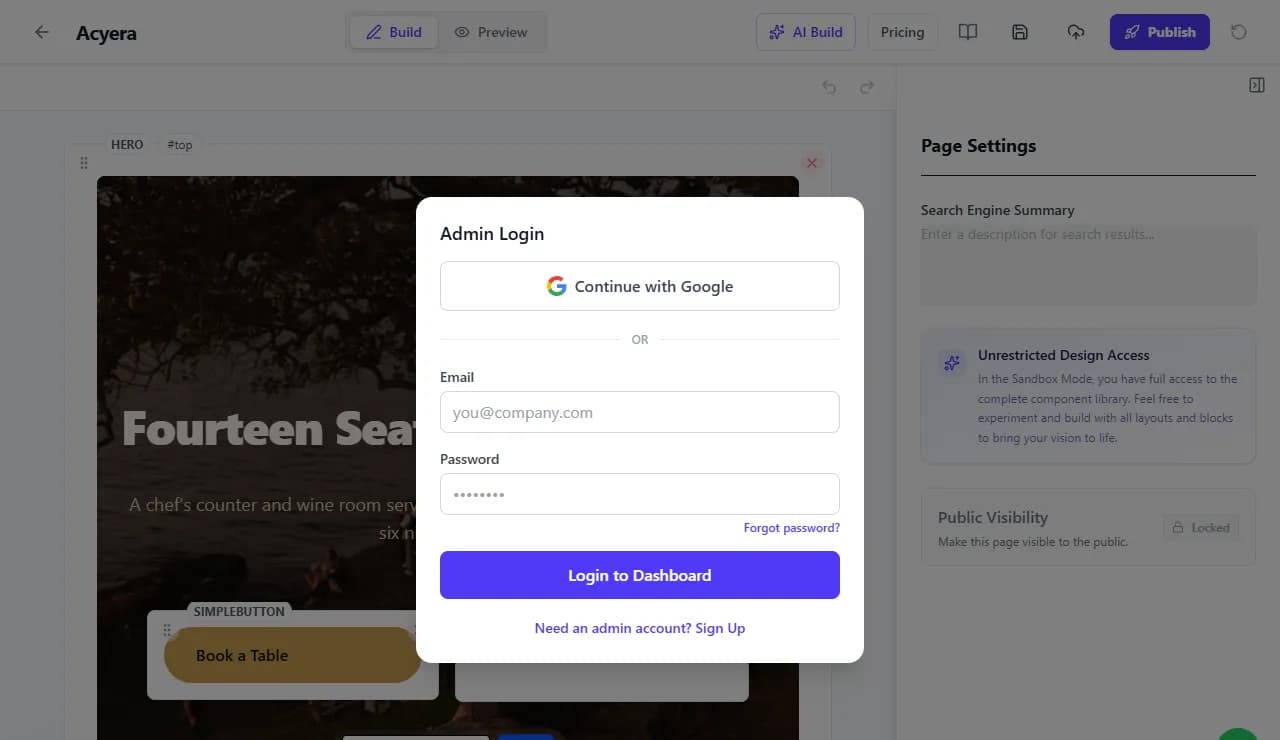
When the page is ready, press Publish. On Acyera a page needs at least five sections before it can be published, which stops half-finished pages going live by accident.
You then sign in or create a free account, with Google or with an email address. After that you give your business name, choose your web address and say where your business is based, and your site goes live on an address like yourname.acyera.com. If you started from the AI builder, it also asks for the WhatsApp number customers should reach you on, and for the email that should receive messages if your page has a contact form.
About the free plan: it gives you one site with one page and a small "Powered by Acyera" banner, free for as long as you like. If your page uses sections from a paid plan, such as a WhatsApp button or a product with a price, it can stay live for 21 days so you can see it working before you decide. Paid plans start at $4.99 a month and add more pages, your own domain and no banner. See pricing.
Step 7: get your first visitors
A new website does not get visitors by itself. These are the fastest ways to get your first ones:
- Share the link on your WhatsApp status, in your groups and with your regular customers.
- Put the link in your Instagram, Facebook and TikTok profiles, and on your business card.
- Create a free Google Business Profile so your business shows on Google Maps, and add your website to it. How to get your business on Google shows how.
- Turn on "Show my site on search engines" in your site settings when the page is finished, so Google can list it. New sites start hidden so nothing half-done is found.
Expect search engines to take weeks to show a new site and months to settle on where it ranks. Sharing the link yourself brings people the same day.
Mistakes beginners make
- Leaving template words or sample phone numbers on the page.
- A headline about the business ("Welcome to ABC Ltd") instead of about the customer ("Same-day phone repairs in Wandegeya").
- Hiding the contact details at the very bottom.
- Huge photos straight from a phone camera on a slow page. Acyera shrinks uploads automatically, but cropping to what matters still helps.
- Never updating it. Change a photo or add a question every month or two so returning visitors see a living business.
Questions people ask
Prefer to watch? See the whole journey in our video tutorial, or open the editor and try it now.
FREE TO START
Ready to build yours?
Build on Acyera with no account, then save your page to a free account when you are happy with it. The free plan gives you one page on an address like yourname.acyera.com.