FREE GUIDE
How to get your business on Google
By the Acyera team · Updated 4 October 2026
The short answer: create a free Google Business Profile so you appear on Google Maps and in local results, then publish a website that clearly says what you do and where, make sure search engines are allowed to list it, and ask happy customers for reviews. Maps listings can appear within days of verification. A new website usually takes weeks to show up in search and months to settle.
When someone near you searches "tailor in Kololo" or "phone repair Westlands", Google shows two kinds of result: a map with a few businesses on it, and a list of websites. You can be in both, for free. This guide covers each one, in the order that brings results fastest.
Part 1: get on Google Maps with a Business Profile
A Google Business Profile is the box that shows your name, photos, opening hours, phone number and reviews on Google Maps and in local searches. It is free, and for a local business it is often the single most valuable thing on this list.
- Go to google.com/business and sign in with a Google account you will keep, ideally one you use for the business.
- Enter your business name exactly as customers know it. Do not add extra words like "best" or a location that is not part of the name: Google may suspend profiles that do.
- Choose the category that best describes what you do, such as "Hair salon" or "Accounting firm". You can add more categories later.
- Say whether customers visit you at an address. If you serve customers where they are (a plumber, a caterer), you can hide your address and list the areas you serve instead.
- Add your phone number and your website address. If your site is not live yet, add it later.
- Verify the business. Google will ask you to prove you run it, often with a short video of your premises or a code. Follow the method it offers you.
- Complete the profile: opening hours, a short description, and at least five photos of your real premises, products or work.
Google's own instructions are at Google Business Profile Help. If verification stalls, check that your name, address and phone match exactly what is on your website and signage.
Part 2: give Google a website it can read
Your Business Profile works better with a website behind it, and the website is how you appear for searches beyond your street. Google needs three things from it: to be allowed to list it, to understand what it is about, and to find it fast.
Say what you do and where, in words
Google reads text. Put your main service and your town in the headline, in the first paragraph and in the page title. Write the way customers search: "children's dentist in Entebbe" rather than "oral wellness solutions". Answer the questions customers ask in a questions section, because each answer can match a search.
Let search engines list it
Every new site on Acyera starts hidden from search engines, so nothing half-finished is found. When your page is ready, open your site's settings in the dashboard, go to "SEO & Social Sharing", and turn on "Show my site on search engines". A site also becomes visible by itself once you have worked on it for a while.
Write a search summary
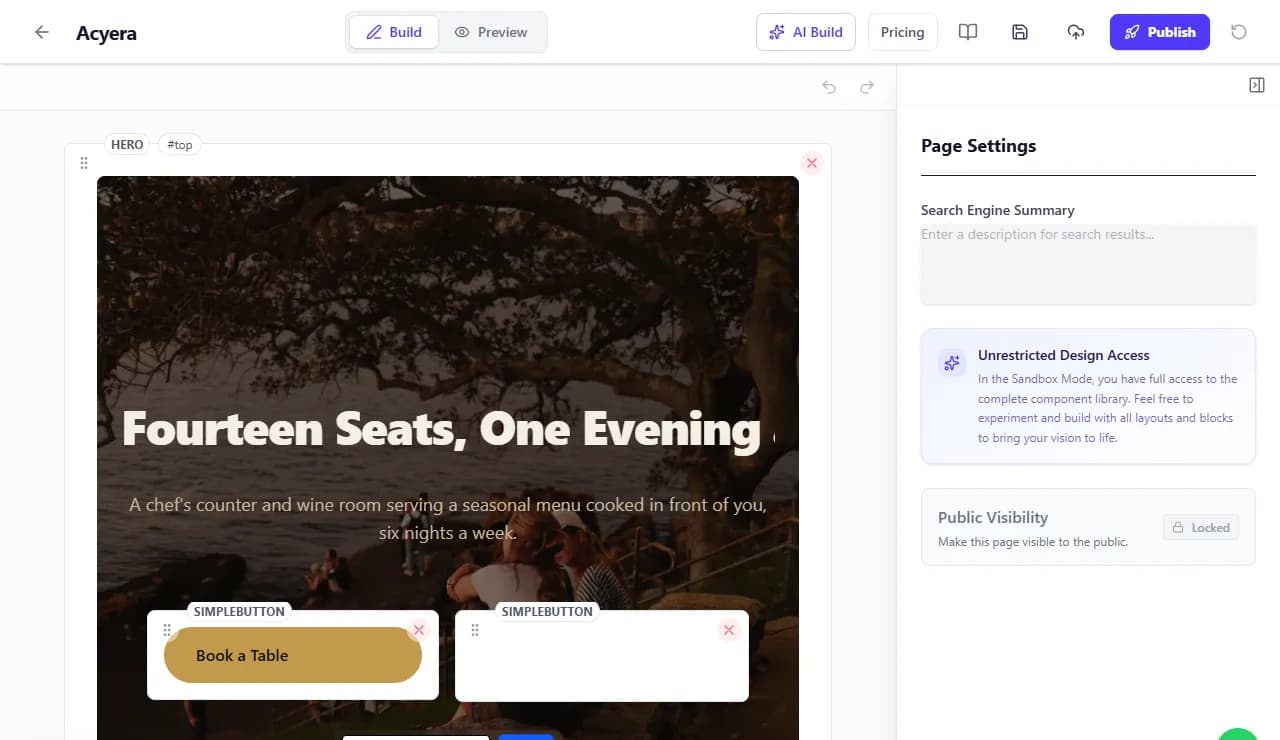
In the editor's page settings, the "Search Engine Summary" is the short description Google may show under your page title. Write one or two sentences, under about 160 characters, that say what you offer and where, and why someone should click.
The technical part is done for you
Every Acyera site is published with a sitemap (the list of pages search engines read), a robots file, a canonical address for each page, and structured data that tells Google your site's name and, where a page has them, its questions and answers and videos. Pages are built for phones and images are resized for each screen, which Google takes into account. You do not need a plugin for any of it.
Part 3: reviews and mentions
- Ask happy customers for a Google review straight after a good experience. Your Business Profile gives you a short review link you can send on WhatsApp.
- Reply to every review, good or bad, politely and briefly.
- Never buy reviews or post them yourself. Google removes them and can suspend the profile.
- Make sure your name, address and phone number are written the same way everywhere: your website, your profile, social media and directories.
- Put your website link in your Instagram, Facebook, TikTok and WhatsApp Business profiles. Every place customers already find you should point to it.
Part 4: what to expect, and when
Nobody can promise a position on Google, and anyone who does is guessing. What you can control is being listed, being clear, being reviewed, and keeping your details up to date.
Seeing how you are doing
On Acyera's Business plan ($35 a month), the Keywords tab of your site shows how often Google showed your pages, how many people clicked, and your average position, plus keyword research to find what people in your market search for. If you use your own domain, you can also add it to Google Search Console, Google's free tool for site owners, by adding the record it gives you at your domain registrar.
FREE TO START
Ready to build yours?
Build on Acyera with no account, then save your page to a free account when you are happy with it. The free plan gives you one page on an address like yourname.acyera.com.